Plexxis Integration
Push CORs from Clearstory straight into Plexxis.

Built for drywall, painting, and finishes contractors who run their business on Plexxis. Stop re-keying change orders, and see exactly which ones have made it into your Plexxis Contracts.

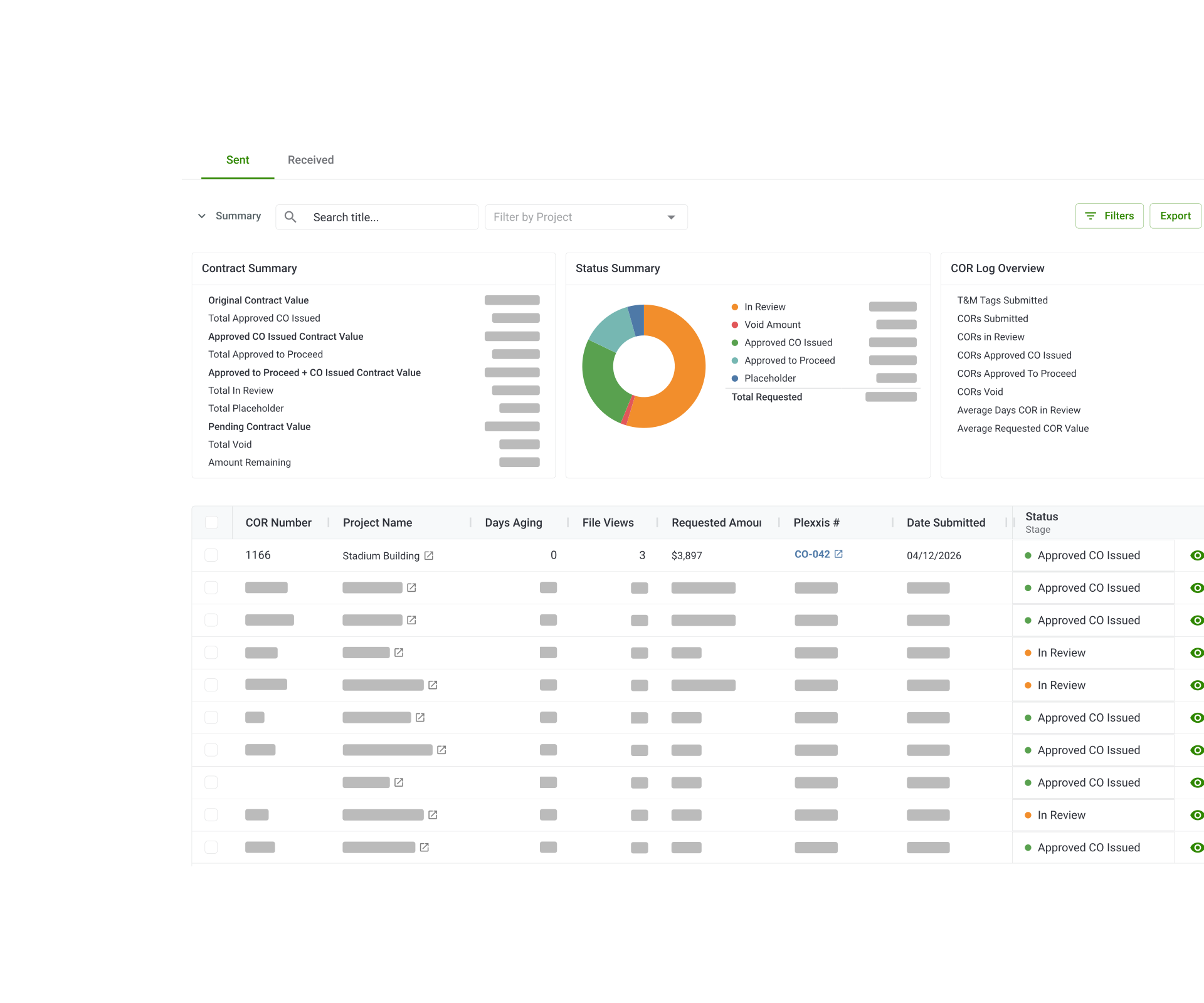
Your change orders, in your system of record, without the double entry.

Stop re-keying CORs
Push sent or received CORs into Plexxis in a few clicks. No copying line items, cost codes, or totals from one system to the other.

Know what's made it to Plexxis
A Plexxis Contract column in your COR log shows what's pushed, what isn't, and what changed since — so nothing falls through the cracks.

Get paid faster
When change work lands in Plexxis as soon as the COR is ready, it's in front of your accounting team sooner — and into your next billing cycle.
Keep Clearstory and Plexxis Aligned
Clearstory’s integration with Plexxis connects external COR workflows with internal job costing so approved changes flow directly into Plexxis with no manual re-entry. Push Change Order Requests, and other workflows from Clearstory to Plexxis to reduce COR processing time and accelerate cashflows.

Changes change. Your Plexxis Contract keeps up.
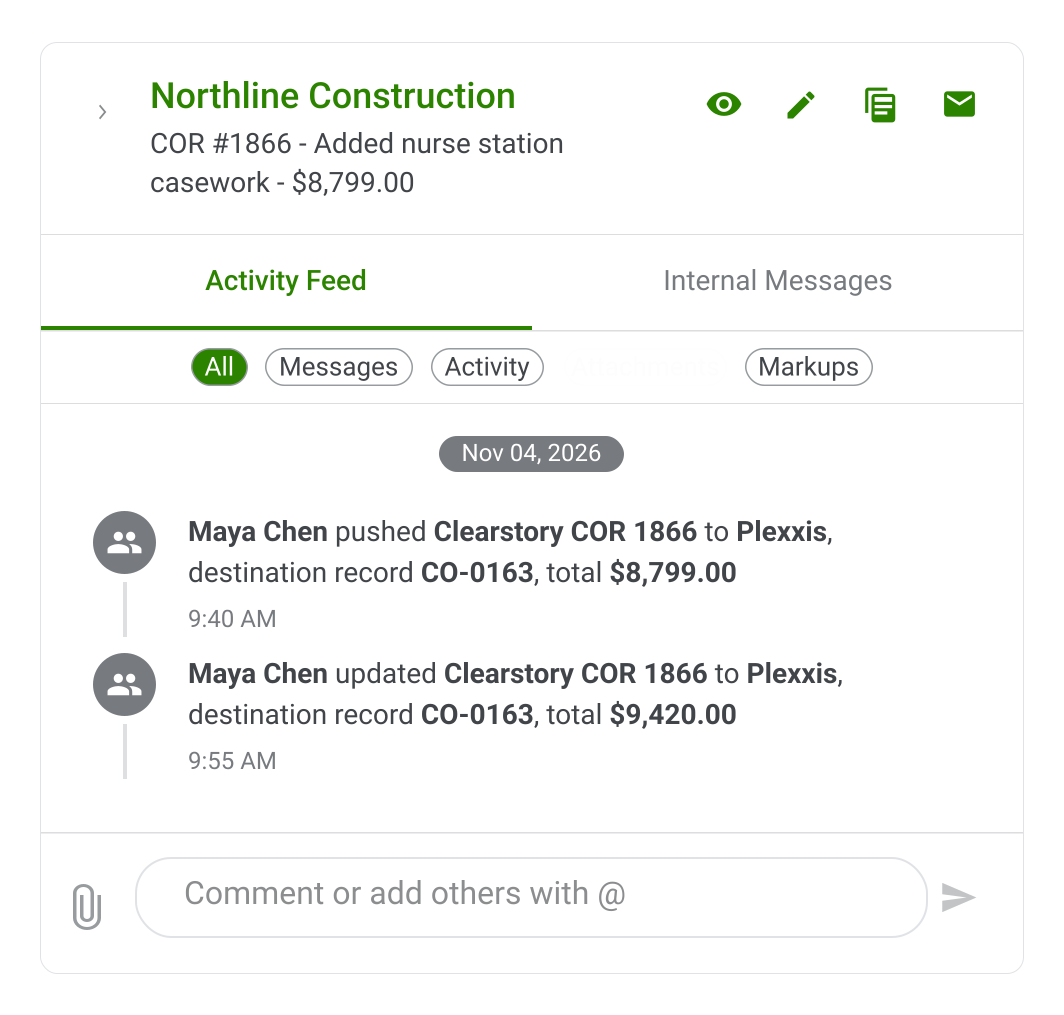
Revise a COR after it's been pushed and Clearstory flags it, so you can re-push the update instead of hunting for the difference.
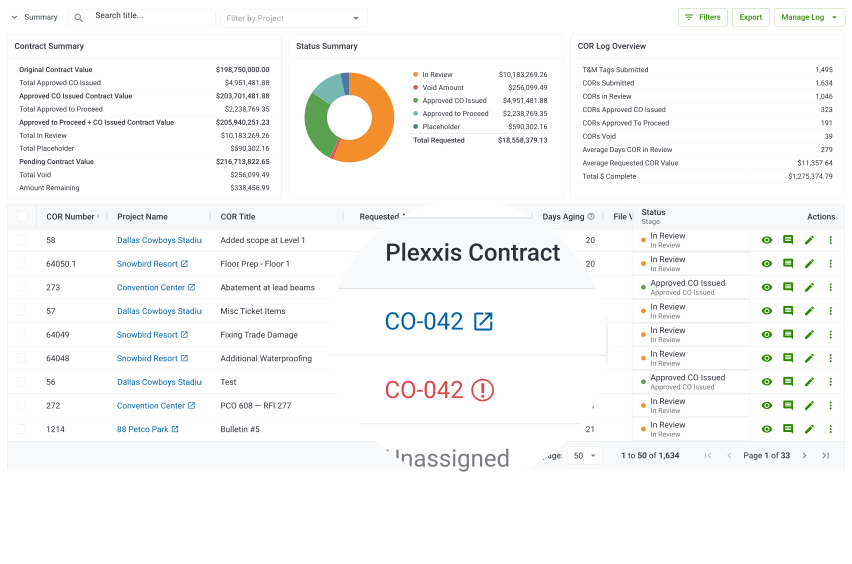
Update lines already in Plexxis, or add new ones
Red indicator when a pushed COR has been revised
Filter your COR log by Assigned, Unassigned, or Update Required
Plexxis Contract numbers carry into your COR log exports
Before and After
You already built the COR in Clearstory. Push it to Plexxis instead of typing it in twice, and Clearstory flags it when it needs an update.
Without Clearstory
Re-key every line into Plexxis
Look up cost codes by hand
Guess what’s made it in
Redo it when the COR changes
With Clearstory
Push CORs in a few clicks
Pick cost codes from Plexxis
Track every push in your COR log
Get flagged when a COR changes
Connect it yourself, with a hand from your Plexxis admin.

Get your Plexxis credentials

Connect in Clearstory

Map offices to Plexxis Branches

Map projects to Plexxis Jobs
Request a Demo
See the Clearstory + Plexxis Integration in Action
