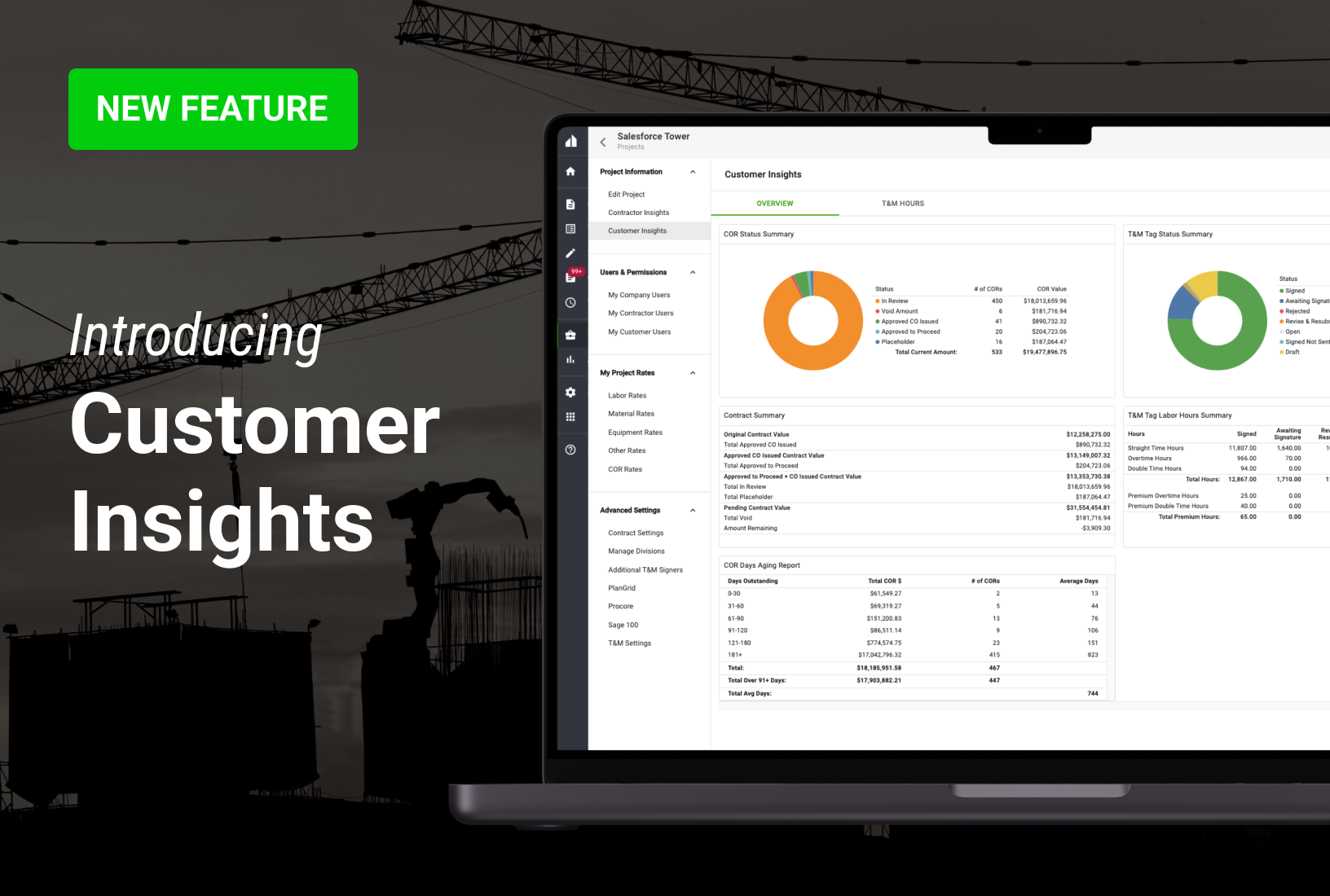
New analytics feature provides executives, admins, and PMs with a live, project-level summary of status, value, and days aging for all CORs and T&M Tags shared with their GC customers.
Clearstory’s dashboards automatically turn your project activity into live insights. Every T&M Tag created. Every COR status change. Captured instantly. With Customer Insights, Specialty Contractor executives, admins and PMs get a live, project-level snapshot of status, value and days aging for every COR and T&M Tag shared with GC partners.
Key Takeaways
- Real-Time Visibility: Gain a live dashboard view of COR and T&M Ticket statuses across all projects.
- Identify Bottlenecks: Use aging reports to see exactly where Change Orders are stalling, whether internally or with the General Contractor.
- Granular Labor Tracking: Monitor T&M labor hours including straight time, overtime, and double time to ensure accurate billing.
- Financial Impact: View a real-time Contract Summary that shows how pending and approved CORs affect the original contract volume.
Specialty Contractor VPs, operations leaders and PMs finally have a crisp, real-time summary of every Change Order and T&M Ticket. Use powerful filters—by customer, region or project—to zero-in on trouble spots, seize opportunities and keep momentum.
Available as an option on the project information menu for account owners, admins, and project managers (at the project level), Customer Insights provides instant dashboard visibility into real-time COR and T&M Ticket status to accelerate processing, improve stakeholder collaboration, and identify actionable opportunities to improve internal and external workflows.
We just hope you’re ready for an honest look. Customer Insights provides Specialty Contractors using Clearstory with a live, bird's eye view of how well Change Order Requests and T&M Tickets are proceeding from point A to point Z on a project. Are items languishing internally, or are ready-to-roll CORs stalling out in the GC’s court?
With Customer Insights, Specialty Contractor decision-makers have a powerful tool providing upstream insight into Change Order and T&M Ticket to gain a deeper understanding of project performance and identify areas for improvement.
COR status summary
The COR status summary gives instant, ball-in-court visibility so approvals keep moving:
• Placeholder submitted
• In review
• Approved to proceed
• Voided or fully approved Change Order
T&M tag status summary
Monitor flow and instantly see how many T&M Tags are:
• Signed and sent
• Awaiting signature
• Rejected or marked ‘revise & resubmit’
• Open or in draft
T&M tag labor hours summary
Need a clean, exportable snapshot of labor hours by approval status? This report rolls up every Tag and breaks hours out by:
• Straight time
• Overtime
• Double time
• Premium overtime
• Premium double time
Contract summary
The Contract Summary report gives you a real-time view of how sent CORs reshape the original contract value—approved, approved-to-proceed, pending or void. You can also build custom KPIs (aging CORs, unsigned Tags, total exposure) and have color-coded snapshots emailed straight to your team’s inbox.
COR days aging report
The COR Days Aging report surfaces every sent COR still awaiting approval and groups revenue into clear time buckets—30, 60, 90, and 120+ days—so you can pinpoint where dollars are stuck and act before cash flow suffers.
Key features and benefits
- Real-time visibility: Offers a comprehensive overview of project status, including change order submissions, approvals, and aging.
- Data-driven insights: Analyzes historical data to provide insights into project trends, performance benchmarks, and areas for optimization.
- Improved collaboration: Fosters better communication among stakeholders through a shared platform, reducing misunderstandings and accelerating delivery.
- Enhanced decision-making: Provides accurate data for better resource allocation, risk management, and project prioritization.
Frequently asked questions
What is Clearstory Customer Insights?
Customer Insights is a built-in dashboard that shows live totals, dollar values, and aging for every Change Order Request (COR) and T&M Tag on a project. It gives leaders a quick, reliable snapshot of project health without digging through spreadsheets.
Who can see Customer Insights in Clearstory?
Account owners, admins, and project managers on the project can open Customer Insights from the Project Information menu. Field users without those permissions cannot view it.
How often does Customer Insights update?
The dashboard refreshes instantly—every time a COR or T&M Tag status changes, the numbers update in real time.
Can I export or share Customer Insights reports?
Yes. You can download each chart to Excel or PDF and email snapshots to teammates or GC partners directly from Clearstory.
Does Customer Insights cost extra?
Customer Insights is included in Clearstory’s reporting package. Talk with your account manager if you don’t see it in your project menu.
Does Customer Insights cover one project or my whole company?
The current release is project-level. Open any project, and you’ll see data for that job only. Company-wide roll-up reporting is available through Clearstory’s separate portfolio dashboards.
Conclusion
Customer Insights is a valuable tool for construction professionals seeking to improve project efficiency, reduce costs, and enhance collaboration. By leveraging data-driven insights and real-time visibility, contractors can make more informed decisions, streamline processes, and deliver projects on time and within budget.